Up

Share your Content with the FDT Community

You want to join the FDT community? That’s easy, simply send us your news and be part of the FDT community page

[contact-form-7 id=”6383″ title=”Take Part”]

Linux builds have been tested on Ubuntu but should run on other distributions too.

With the download of FDT you accept our EULA

Featured

FDT Views/Editors follow Dark Theme

With this release FDT can easily switched to dark theme:Simply select the Dark theme and apply. The Dark theme is available since Eclipse 4.4 (Luna). Older versions of Eclipse (and FDT) does not support color themes of this form. The FDT views and editors will switch to their default dark color set: In case you […]

by FDT Team

FDT Newsletter

Subscribe to our FDT mailing list and get the latest news and vouchers! * indicates required Email Address * First Name Last Name

by FDT Team

FDT Milestone 10 – 10 years anniversary

We‘re happy to announce FDT Milestone 10! It‘s been 10 years since our first FDT release and a lot happened since last years Milestone 9. We went on to improve FDT and your IDE experience. Here is a list with our new key features: Ant Project Generator Dump launch configuration Library Project Template ActionScript refactorings […]

by FDT Team

Library Project Template

This new FDT release contains features to support a more fluent development of SWC libraries. The primary starting point to develop a library is the new Library Project Template for AIR or Web: This template creates an empty library project containing two source folders: All compilation units to include into the library should be placed […]

by FDT Team

Release 9.9 – Project groups

With this release the FDT Explorer can present projects in groups: Each Project Group is a set of workspace projects (i.e.: Working Set). Each project can be a member of one group and can not be shared among groups. Project Groups are logical structures shown inside FDT Explorer. Neither they represent nor they change the […]

by FDT Team

Upgrade To FDT From Any Contending Product

March 8, 2010 by Carlo Matic

With the FDT 3.5 release, in addition to new productivity-increasing features, we now have full also same support of Flex/MXML editing. We have recently also announced our first FDT 4 beta milestone release. Furthermore all new FDT 3.5 customers will be able to use FDT 4 beta and receive the final release for free!

If that is not enough … we came up with a March Madness Deal !

If you are using any other IDE than FDT as your Flash/Flex development environment, you now have the opportunity to upgrade to FDT Professional or FDT Enterprise for the special price of $299 and $399 respectively. Just send us an email to upgrade2FDT@powerflasher.com with some proof of purchase or a screenshot that shows you are using any other comparable product, for instance a copy of your invoice, and we will send you the instructions for the order form. Don’t miss the opportunity; switch to FDT now and save money!

This offer is only valid for the month of March!

Only few workshopseats left for FDT workshops at FFK09

January 30, 2009 by Carlo Matic

Hi folks,

as you already probably know, we are holding two workshops at THE german kick-ass conference Flashforum Konferenz in Cologne this year.

Here you can find all info to the workshops:

FDT Essentials by Matthes Groeger

FDT Advanced by Michael Plank

This is your only opportunity in the year to get a highly professional FDT training, individually created for the FFK09 from our best trainers. As you know, we are holding trainings and workshops around the globe to show how to use the amazing featureset of FDT really efficiently in different sized projects, from small to large, from easy to hard.

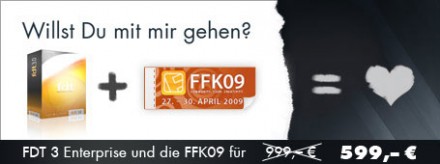
Another chance to make a good deal with FFK and FDT is this very limited bundle offer:

Hope to see you all at FFK09, the BEST German Flashconference!!

Cheers,

Frank

FDT on Adobe MAX and FlexCamp Milano

December 15, 2008 by Carlo Matic

Hi Folks,

we are back from Adobe MAX, with some really cool insights and also had some great chats at our little booth.

Milano was a great place for MAX, and also the program of and around it was pretty neat. Michaels Session about FDT on FlexCamp one day before MAX also went very well, and he had great feedback. If you have ever the chance to see one of his speed coding sessions, don´t miss it!!

Of course, we raffled of one FDT Enterprise license again. The lucky winner is Christoph Dubach from Zurich, Switzerland. Jooske from Adobe was so kind to help us in our little raffle. We congratulate and whish pure coding comfort!

Raffle at Adobe MAX

Hope to see some of you at FITC Amsterdam soon!!

cheers,

Frank

Release beta of FDT 3.0 Enterprise

February 29, 2008 by Carlo Matic

We just uploaded a first test version of FDT 3.0 Enterprise. You can download the pre release version from the update site “http://fdt.powerflasher.com/update_beta/”. The two most important new features are refactoring and debugging.

  • To debug you can set breakpoints (double click at the left side of the editor) and start your application with “Debug as…->FDT AS3 Application”). Please consider that all SWFs you use need to be debugable (if you use multiple SWFs make sure all are compiled with “-debug=true”). You can watch the stack trace and variables, step into/over/out (F5/F6/F7) and even can modify primitive variable values at runtime. If you hover over a variable inside the editor of the current stack element, the value of this variable is shown. You can even format this output using special templates (in the preferences under “FDT->Run/Debug->Reference Types”). There are some predefined templates at the moment, expect more to come (we take suggestions seriously!). Of course you can define your own templates.
  • The implemented refactorings are: “Rename top level type”, “Rename method”, “Rename variable”, “Rename package” and “Move type”. You can drag and drop classes/interfaces in the flash explorer and all references (such as imports) are updated automatically. The most important hotkey is <alt>+<shift>+R to rename the element under the cursor. If you place it over a variable name the variable would be renamed, over a type name and the type would be renamed and so on. With <alt>+<shift>+V you can move a selected top level type to a new location.

Please also consider that you can only test the enterprise features if you do not enter a key for basic or professional. If you already use FDT we would suggest to install the beta in different eclipse installation to try out the new features.

We wish pure coding comfort!

Get FDT5