Up

Share your Content with the FDT Community

You want to join the FDT community? That’s easy, simply send us your news and be part of the FDT community page

[contact-form-7 id=”6383″ title=”Take Part”]

Linux builds have been tested on Ubuntu but should run on other distributions too.

With the download of FDT you accept our EULA

Featured

FDT Views/Editors follow Dark Theme

With this release FDT can easily switched to dark theme:Simply select the Dark theme and apply. The Dark theme is available since Eclipse 4.4 (Luna). Older versions of Eclipse (and FDT) does not support color themes of this form. The FDT views and editors will switch to their default dark color set: In case you […]

by FDT Team

FDT Newsletter

Subscribe to our FDT mailing list and get the latest news and vouchers! * indicates required Email Address * First Name Last Name

by FDT Team

FDT Milestone 10 – 10 years anniversary

We‘re happy to announce FDT Milestone 10! It‘s been 10 years since our first FDT release and a lot happened since last years Milestone 9. We went on to improve FDT and your IDE experience. Here is a list with our new key features: Ant Project Generator Dump launch configuration Library Project Template ActionScript refactorings […]

by FDT Team

Library Project Template

This new FDT release contains features to support a more fluent development of SWC libraries. The primary starting point to develop a library is the new Library Project Template for AIR or Web: This template creates an empty library project containing two source folders: All compilation units to include into the library should be placed […]

by FDT Team

Release 9.9 – Project groups

With this release the FDT Explorer can present projects in groups: Each Project Group is a set of workspace projects (i.e.: Working Set). Each project can be a member of one group and can not be shared among groups. Project Groups are logical structures shown inside FDT Explorer. Neither they represent nor they change the […]

by FDT Team

Did you know? – FDT on Twibbon.

December 12, 2011 by Carlo Matic

A Twibbon is a badge that you can add to your twitter profile picture. Some of you may remember that we used to have one of them but didn’t update it regularly. Introducing the new FDT Twibbon:

You can simply add the FDT 5 badge on: http://twibbon.com/join/FDT. Have fun pimping your pic, I know yours will look better than mine 🙂

#FDT4FUN Winners!

April 16, 2011 by Carlo Matic
On a Friday, March 25th I asked on Twitter:

We had a lot of positive, creative and fun definitions of FDT, which made it very hard to choose one winner. Therefore we then posted the top 10 on our FDT Facebook Page for you to vote.

Also, considering the unexpected number of responses, we decided to declare three winners instead of only one. The three most voted answers are winning a FDT Pure license!

And the lucky ones …

N.1 @HelmEerieBlue with ‎”Fast Digital Technology”

‎N.2 @imarkahann with “First Divine Toolbox”

‎N.3 @suniljohn with “Fuel for Discerning Technophiles”

Congratulations to the winners! Please contact me @BrunoFonzi with your full name and email to receive the well deserved prize.

Thank you for your participation and as usual … happy coding!

Bruno

Get your personal FDT4 Wallpaper

October 22, 2010 by Carlo Matic

FDT is built by Flash developers to support the needs of Flash developers!
And the FDT Product Design visuals are made by Flash developers too – in FDT4 of course!

We love the new FDT4 visuals and we love Flash. So we want to share with you the tool we´ve used to create this cool FDT4 visuals.

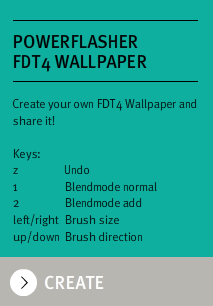
See how easily and quickly you can design your very own one of a kind wallpaper: 4 keys, one mouse, your inspiration.

Share your love on twitter or facebook, you are automatically in the lottery to win a FDT4 max licence.

Create your own FDT4 Wallpaper instructions:

Share/Save your FDT4 Wallpaper by clicking the following buttons. You will find this bar at the bottom of the page:

Have fun building your FDT4 wallpapers and be sure share it with your friends on Facebook or Twitter. Go and play on http://www.fdt4.com/WallpaperCreator

We are looking forward to see your creations!

Get your free pass to FITC Toronto

April 19, 2010 by Carlo Matic

We are looking forward to seeing you all at FITC Toronto again this year, the more the merrier! For this reason, we would like to give away a FITC pass to the FDT community.

How can you win a pass for FITC Toronto?

Just share a project you have created using FDT. Any project! Think about one of your old websites, or maybe even one that is still in progress. Pick the most innovative, awesome code, project or website site you have developed and share it with the community by using the twitter hashtag #MadeInFDT. If you don’t use twitter just leave us a comment with the URL link to this post. We will tweet it for you!

You decide the winner! The most retweeted project will get a pass to FITC Toronto from April 25-27 2010.

If you already bought a pass, no worries, give it a friend, your girlfriend or even your mom! Show them how cool Toronto, FITC and the Flash community is!

I hope many people will share and exchange their ideas and experiences with the community. The FDT team is looking forward to seeing you at FITC and what cool shit you have done with FDT!

Do you know that shortcut? The Twitter shortcut learning series

June 29, 2009 by Michael Plank

Using shortcuts in FDT is one of the most important techniques to increase your coding efficiency. But learning shortcuts by studiying long lists of keyboard combinations is hard and no fun.

Because of that I thought of posting a shortcut every day on Twitter to give you the chance to add one shortcut after each other to your repertoire.

My Twitter name: @Michael_Plank
You can search for: DoYouKnowThatShortcut
Hashtag: #fdtshortcuts

If you’ve missed one shortcut, no problem! Everytime I post a new shortcut I will add it to the list so you can catch up if you’ve been lazy for one day.
Take the chance to learn all the cool shortcuts that will make it possible to work completely without the mouse 🙂

Have fun with this series,
Michael

#DoYouKnowThatShortcut? Full List

June 29, 2009 by Michael Plank

Twitter name: @Michael_Plank
Twitter search: DoYouKnowThatShortcut
Twitter hash tag: #fdtshortcuts
RSS: #fdtshortcuts

Mac Win Name Type Context
CMD+1 CTRL+1 Quick Fix Generating Code If Error exists
CTRL+Space CTRL+Space Auto Completion Generating Code Editing Code
F2 F2 Show Class/Interface in Flash Explorer Navigation Editing Code
F3 F3 Open Declaration Navigation Cursor over Type, Property, Function
F4 F4 Show Type Declaration Navigation Cursor over variable
CMD+T CTRL+T Quick Type Hierarchy Navigation Cursor over Type or Function
CMD+O CTRL+O Quick Outline Navigation Editing Code
CMD+7 CTRL+7 Toggle Comment Code Editing Editing Code
CMD+U CTRL+U Quick Type Dependency Navigation Editing Code
CMD+SHIFT+T CTRL+SHIFT+T Open Type Navigation Editing Code
CMD+R CTRL+R Find References Search Cursor over Type, Function, Property
CTRL+H CTRL+H Search in multiple Files Search Editing Code
CMD+D CTRL+D Delete Line Code Editing Editing Code
CMD+M CTRL+M Maximize/Minimize View Perspective Editing Code
CMD+L CTRL+L Go To Line Navigation Editing Code
CMD+0 CTRL+0 Quick Trace Code Generation Cursor over Property
CMD+SHIFT+F CTRL+SHIFT+F Format Code Formatting Editing Code
ALT+SHIFT+R ALT+SHIFT+R Rename Refactoring Editing Code
CMD+SHIFT+O CTRL+SHIFT+O Organize Imports Generating Code Editing Code
Get FDT5