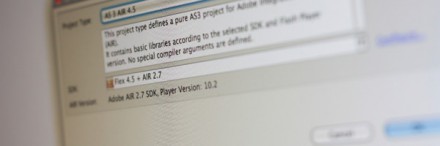
Most Flash developers are waiting for an official release of the AIR 2.7 SDK. Now it is available since the last minutes and you can grab it through the official download site.
But there’s just one step necessary to get the SDK running on your machine. We will show you, how to merge the AIR 2.7 SDK with your Flex SDK and get it running in FDT.
Windows
On Windows it is pretty easy. Just extract the zip file with an unzipper tool of your choice in the Flex root directory and overwrite all files.
Mac OS X
On Mac you can use the Terminal to extract the files. Here’s a quick step by step tutorial:
- Copy the downloaded AdobeAIRSDK.tbz2 file into your Flex root directory
- Open the terminal, cd to your Flex SDK and type
tar jxvf AdobeAIRSDK.tbz2 (enter your password if necessary)
After you’ve finally merged both SDKs you can add it in your FDT via the settings popup FDT > Installed SDKs.
Don’t forget to publish with -swf-version=12


If I’m using an ant build file, how do I specify -swf-version=12
Thanks!
it’s ok.. figured it out. change in settings folder com.powerflasher.fdt.classpath from flex.swc to core.swc
thanks patrick 🙂 so i should just ignore the warnings and the errors fdt says are now there.. (red x next to class files etc..) ? or is there something else i need to do?
Jepp because sind 4.5.0 the flex.swc was renamed into core.swc
seems the flex sdk 4.51 that i downloaded is missing frameworks/libs/flex.swc
is that right?
hmm.. i get this error “Some classpath libraries are missing or SDK version is not compatible”. i guess i messed it up somewhere but can’t figure it out 🙁 any one else get this?
@ rodrigo,
Hard to say what the issue could be. If you could provide a link to a screenshot or video, that would be helpful.
Jassa Hello,
I have a problem when I try to generate my application in air 2.7, fdt says he can not find the adt.jar, despite being in the file folder. I am using flex sdk 4.5. Could you help me?
Thanks jassa. That worked for me as well. Everything works great now!
Hey jassa,
thank you for the hint, i’ll edit the blogpost.
I’ve fixed the issue now. When I initially merged the SDKs I used the “sudo” prefix. This was altering the permissions of the adl file and preventing it from launching. I remerged the SDKs without the “sudo” prefix and it launches fine now.
(Btw, I’m using the SDK that ships with Flashbuilder 4.5)
@All
Like Alan Klement said, you must change Air Version in your descriptor file but you need to add mandatory versionNumber tag too like below:
1.0.0
@All
Is there an issue with a mismatch of Air Version in your descriptor file?
xmlns=”http://ns.adobe.com/air/application/2.7″
Patrick,
I’m getting the same thing as jassa. Seems to hang at “Launching AIR Debug Launcher”. Flex 4.5 overlaid with AIR 2.7 SDK, FDT 4.5 on Mac 10.6.7
Hey jassa,
it seems that you’re using just the Open Source Flex SDK and not the full version (Adobe Flex SDK, 229 MB). The ADL is not part of the Open Source SDK, so please make sure, you’ll have the adl in the flexSDK/bin/ folder.
I’ve merged the SDKs, but when I try to compile using the new (merged) sdk it just hangs at “Launching AIR Debug Launcher”. I’m using FDT 4.5 beta – tried with FDT 4.0 as well – same issue. Any ideas?
Thanks.
@aYo
It should work the same. Does it not?
and for Linux???