Up

Share your Content with the FDT Community

You want to join the FDT community? That’s easy, simply send us your news and be part of the FDT community page

[contact-form-7 id=”6383″ title=”Take Part”]

Linux builds have been tested on Ubuntu but should run on other distributions too.

With the download of FDT you accept our EULA

Featured

FDT Views/Editors follow Dark Theme

With this release FDT can easily switched to dark theme:Simply select the Dark theme and apply. The Dark theme is available since Eclipse 4.4 (Luna). Older versions of Eclipse (and FDT) does not support color themes of this form. The FDT views and editors will switch to their default dark color set: In case you […]

by FDT Team

FDT Newsletter

Subscribe to our FDT mailing list and get the latest news and vouchers! * indicates required Email Address * First Name Last Name

by FDT Team

FDT Milestone 10 – 10 years anniversary

We‘re happy to announce FDT Milestone 10! It‘s been 10 years since our first FDT release and a lot happened since last years Milestone 9. We went on to improve FDT and your IDE experience. Here is a list with our new key features: Ant Project Generator Dump launch configuration Library Project Template ActionScript refactorings […]

by FDT Team

Library Project Template

This new FDT release contains features to support a more fluent development of SWC libraries. The primary starting point to develop a library is the new Library Project Template for AIR or Web: This template creates an empty library project containing two source folders: All compilation units to include into the library should be placed […]

by FDT Team

Release 9.9 – Project groups

With this release the FDT Explorer can present projects in groups: Each Project Group is a set of workspace projects (i.e.: Working Set). Each project can be a member of one group and can not be shared among groups. Project Groups are logical structures shown inside FDT Explorer. Neither they represent nor they change the […]

by FDT Team

Remote debugging with FDT

June 20, 2011 by Carlo Matic

Developing mobile applications without being able to debug them can be a pain. Sometimes a good logger like SOSmax can do the job, but its also possible to use FDT’s debugger to debug your applications live on the device.

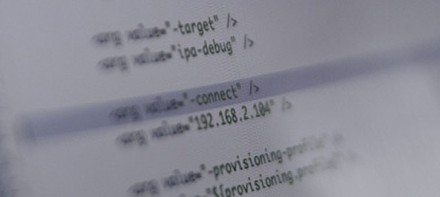
The only tweak that is needed is to add an additonal parameter when packaging your Android, Playbook or iOS application.

-connect "your computers ip"

Before the app starts up on the device, simply start the FDT debugger so it can listen for a connection to your device.

<fdt.startDebugger switchperspectiveonbreakpoint="true" projectname="Projectname"/>

When the application has launched it will connect to the debugger and you will be able to step through breakpoints and see traces in the console.

If there are any problems make sure your pc and device are part of the same network and your application was packaged in debug mode, means with one of the following arguments:

  • -target ipa-debug (iOS)
  • -target apk-debug (Android)
  • -devMode (BlackBerry Playbook)

Have fun.

SOS max released

August 25, 2008 by Carlo Matic

SOS max

After many years, we finally release a new version of SOS, called “SOS max”. For all of you who don’t already know the “Socket Output Server”: It’s a smart and resource-saving tool for logging purposes outside the Flash IDE. Level-organized logging and fully customizable color highlighting are just some of the features the new SOS brings along.

Here comes the best: It’s totally free and platform independent!

Get more information on http://sos.powerflasher.de

Cheers,
Christopher

Get FDT5